Infinity Dictate Team
April 3, 2026 · 9 min read
Journalism is one of the few professions where the gap between capturing information and publishing it is measured in hours — sometimes minutes. Every inefficiency in the note-taking and drafting process costs time that journalists rarely have to spare. And the most common inefficiency is the one that has gone unquestioned for decades: typing.
The average journalist types at 60–70 words per minute. The average person speaks at 130–150 words per minute. That gap — roughly 2x — exists every time a journalist transcribes field observations, reconstructs interview moments, or drafts a first lede. AI dictation closes that gap without changing your reporting, your sources, or your editorial judgment.
Key Takeaways
- Journalists speak at roughly 2x their typing speed — dictation exploits that gap on every deadline.
- Post-interview dictation (spoken summary immediately after the conversation) produces better notes than typing mid-interview.
- On-device AI dictation works without internet connectivity — critical for field reporting.
- AI auto-polish converts rough spoken prose into clean, publication-ready drafts in one pass.
- Privacy-sensitive stories benefit from on-device processing: audio never leaves the journalist's machine.
Why Journalists Are Natural Dictation Users
Most journalists already use their voice as a primary tool — in interviews, in editorial conversations, in pitching stories. The voice is natural to the job. What is not natural is the translation lag: the hours between leaving a source and producing usable text from that conversation.
The traditional workflow looks like this: reporter attends event or interviews source → takes typed or handwritten notes → returns to desk → types up a draft → files. The bottleneck is the last two steps. Dictation compresses them. You speak the draft at the same pace you would speak it to a colleague, AI processes it into clean text, and you revise and file. The reporting step does not change. The friction in the production step drops significantly.
Field Reporting: Capturing Observations on the Go
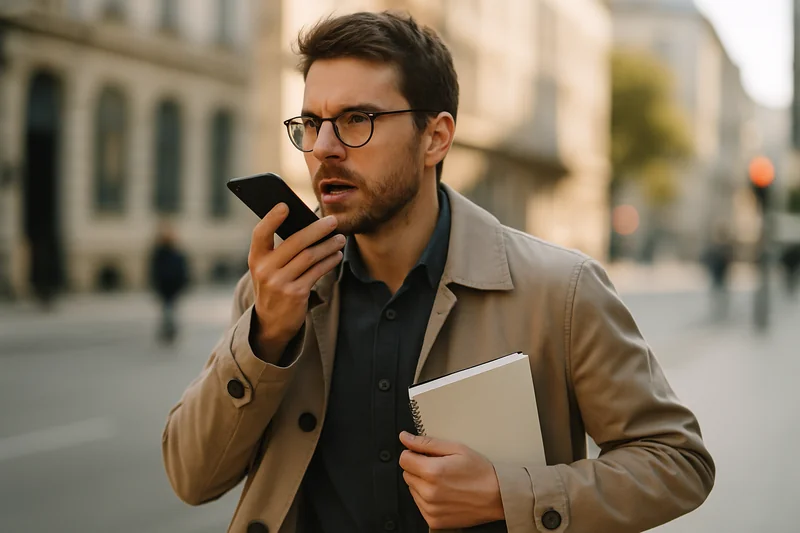
Typing field observations is awkward at best. Phones require looking at a screen while the story is happening around you. Notebooks create a second transcription step later. Dictation solves both: speak your observations into any app while the scene is in front of you, eyes up.
The key is a structured observation format. When dictating in the field, lead with location and time, then describe what is physically happening, then add your interpretive context. A spoken field note sounds like: "Outside City Hall at 2:15 p.m. About 200 demonstrators, mostly young, chanting — quote — no justice no peace — end quote. Police presence at north entrance, about 12 officers, no visible tension yet. Crowd mood: energized but contained." That kind of observation, dictated in 20 seconds, would take 90 seconds to type accurately under the same conditions.
Interview Notes: What to Dictate and When
Dictating during a live interview is not recommended — it creates divided attention at exactly the moment when full presence matters most. The high-value moment for dictation is immediately after the interview ends, before you check email or make calls.
In the five minutes after hanging up or stepping away from a source, dictate: the main angle of the story as the source described it, the most important direct quotes in the source's own words, any facts, figures, or dates the source cited, and any follow-up questions the conversation raised. This post-interview capture is more accurate than notes taken mid-conversation and more complete than notes written an hour later from memory. It also structures your material in the order of story importance, not the chronological order of the interview.
From Notes to Draft: The Dictation-First Writing Process
Many journalists draft by staring at a blank document. Dictation changes the starting point. Instead of writing, you speak the story as if you are telling it to a colleague who wasn't there.
The inverted pyramid structure maps well to this approach. Dictate the lede first — one sentence covering who, what, when, where, why. Then speak the context paragraph. Then the detail, in descending order of importance. Speaking a 500-word first draft takes 4–5 minutes at normal conversation speed. AI auto-polish converts the spoken prose into clean, grammatically tight text. You then open the draft, insert quotes from your verified notes, tighten transitions, and file. The result is a complete draft in roughly half the time a typing-first approach requires. See our guide on dictating faster for any writing task for the underlying mechanics.
Accuracy for Names, Places, and Quotes
The most legitimate concern journalists have about AI dictation is accuracy for proper nouns: source names, place names, organization names, unusual spellings. Modern on-device AI handles common names and major cities well. Unusual names, small towns, and specialized terminology need attention.
The practical solution is simple: spell out anything unusual when you dictate it. Say "Jones — J-O-N-E-S" or "the city of Leominster — L-E-O-M-I-N-S-T-E-R" and correct during the revision pass. This adds 2–3 seconds per unusual noun. Even accounting for corrections, the net speed gain over typing remains significant. One rule that should not bend: never use dictation to produce direct source quotes. Quotes must reflect exactly what the source said. Dictate your surrounding prose, not the attributed words.
Privacy Considerations for Sensitive Stories
Investigative journalists, foreign correspondents, and reporters working on sensitive sources face a legitimate question about cloud-based tools: where does the audio go? Cloud dictation services process your speech on remote servers, which creates a chain of custody and potential subpoena exposure that most journalists would prefer to avoid.
On-device AI dictation processes audio entirely on the local machine. Nothing is sent to a server. There is no audio log accessible to a third party, no network dependency, and no data retention outside the device. For journalists concerned about source protection, that distinction matters. On-device processing also works in areas without reliable internet connectivity — remote locations, international bureaus, field settings where data roaming is expensive or unreliable. For a full breakdown of on-device vs cloud privacy tradeoffs, see our article on AI dictation security and privacy.
Building a Dictation-First Reporting Workflow
The journalists who get the most from dictation treat it as a workflow change, not a transcription utility. The shift is straightforward: every time you would reach for a keyboard to capture or draft, ask whether speaking would be faster. In most cases, it will be.
Start with post-interview capture: commit to dictating a two-minute spoken summary after every interview for one week. The discipline of that single habit produces better notes than most journalists currently keep. Then add lede dictation: speak your first paragraph before opening a document. Finally, add field observation dictation when reporting on location. Each step compounds. A journalist who uses dictation at all three stages — field capture, post-interview, and first draft — typically cuts their note-to-file time by 30–40%. For researchers and academics with overlapping workflows, see our parallel guide on AI dictation for researchers.
Frequently Asked Questions
Can journalists use AI dictation for interview notes?
Yes. The most effective approach is to dictate a spoken summary immediately after an interview ends — not during. Capture the key quotes (in the speaker's words), the main story angle, and any follow-up questions while the conversation is fresh. This produces structured notes faster than typing and avoids the distraction of looking at a screen mid-conversation.
How accurate is AI dictation for proper nouns and names?
On-device AI dictation handles common proper nouns well, but uncommon names, place names, and specialized terms may need correction. The practical fix: spell out unusual names when dictating ("Jones — J-O-N-E-S"), then correct once during editing. For recurring beats (courts, local government, a specific sector), accuracy improves over time as the recognition model adapts to your vocabulary.
Is it appropriate to use AI to clean up journalist notes?
AI auto-polish is appropriate for cleaning up your own spoken notes — fixing grammar, removing filler words, structuring sentences. It is not appropriate for cleaning up direct quotes from sources. Quotes should reflect exactly what the source said. Use AI polish on your surrounding prose and attribution text, not on the quoted material itself.
What is the fastest way to dictate a news story?
Use the inverted pyramid approach: dictate the lede first (who, what, when, where, why in one sentence), then the key context paragraph, then supporting detail in order of importance. Speaking this structure takes 6–10 minutes for a 500-word story. AI auto-polish cleans the prose. You then insert quotes from your notes and file. The result is a rough draft significantly faster than building it from a blank document.
Does AI dictation work in noisy environments?
On-device AI dictation is more robust than cloud-dependent alternatives in noisy field conditions because it processes audio locally without network dependency. Accuracy drops in very loud environments (construction sites, crowds). The practical solution: step away from noise for 30–60 seconds to dictate observations, then return to the scene. This is faster than trying to type notes under the same conditions.