Infinity Dictate Team
April 3, 2026 · 8 min read
For much of adult life, typing is something you do without thinking about it. Then, gradually, it is not. Arthritis stiffens finger joints. Reduced dexterity makes hitting small keys harder. Eye strain makes staring at a screen for extended periods uncomfortable. The keyboard — which was always just a tool — starts to feel like an obstacle.
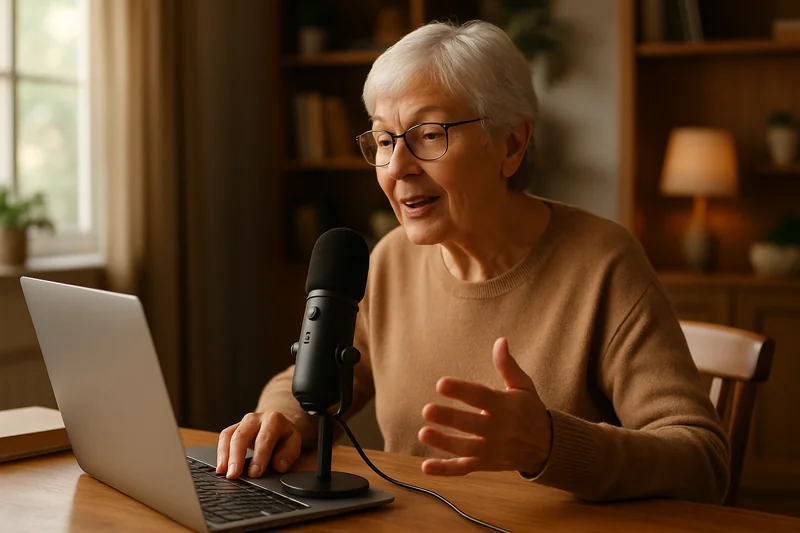
The things seniors want to write have not changed. Emails to children and grandchildren. Letters that say what a phone call cannot quite hold. Life stories that should be recorded before memory shifts them further into the past. The desire to write remains strong. Voice dictation removes the barrier that slowing hands create.
Key Takeaways
- Voice dictation eliminates the physical strain of typing — essential for seniors with arthritis or reduced hand dexterity.
- Modern AI dictation requires no training, no special commands, and no technical background to use.
- Seniors can dictate emails, letters, memoirs, journal entries, and shopping lists in any Mac application.
- Speaking slowly and clearly works perfectly well — on-device AI handles deliberate speech without penalizing pace.
- Most seniors write more when they switch to dictation — freed from keyboard friction, they express more of what they actually want to say.
Why Typing Gets Harder With Age
The physical changes that make typing difficult are well documented. Arthritis affects an estimated 54 million adults in the United States, and hand and finger joints are among the most commonly involved. When joints are inflamed or stiff, pressing small keys repeatedly — which is what typing requires — causes pain or fatigue that limits how much someone will write in a sitting.
Beyond arthritis, fine motor control naturally changes with age. The precision required to hit a specific key reliably decreases. Tremor, even when mild, makes sustained accurate typing exhausting. Eye strain from close screen focus adds another layer of friction, particularly for those managing age-related vision changes. None of these are failures — they are predictable physical changes. The sensible response is to find an input method that does not depend on hand precision. Speaking has none of these barriers. The voice does not arthritis.
What Seniors Actually Use Dictation For
The most common use seniors describe is email — specifically, longer email replies to family members. A quick typed acknowledgment is easy enough. But the kind of email that actually conveys warmth, tells a story, or gives a full update on what has been happening in your life requires sustained typing that many seniors find increasingly difficult. With dictation, that kind of reply takes no more physical effort than having a conversation. You speak, the words appear.
The second major use is letter writing. There is a tradition among older generations of writing letters that has been displaced by email, but not entirely abandoned. Dictation makes letter writing effortless — you speak the letter, print it, and send it. The third, and perhaps most personally significant, is capturing life stories. Memoirs, family histories, descriptions of places and events from decades past — these are things seniors uniquely possess and that younger generations cannot reconstruct from search engines. Dictation makes the recording of those stories as easy as telling them.
Getting Started Without a Tech Background
One of the most common concerns seniors express about dictation software is the same one they express about most technology: that it will require a learning curve they do not want to navigate. Modern on-device AI dictation requires almost none. There are no commands to memorize, no voice training sessions, and no calibration procedures. You open an application — your email client, a notes app, a word processor — activate dictation, and speak. Text appears.
The one thing worth learning early is punctuation. AI dictation does not automatically insert periods and commas at grammatically correct places — you say them. "Period" ends a sentence. "Comma" inserts a comma. "New paragraph" starts a new paragraph. That is the full command set most people ever need. If why dictation can feel strange at first has been a concern, it almost always fades within a day or two of use, once speaking to the computer starts to feel like a natural habit rather than an awkward performance.
Dictation for Writing Letters and Emails
The practical mechanics of dictating an email are simpler than they might sound. Open your email application, start a new message, click in the body of the email, activate dictation, and speak your message. You do not need to compose it in your head in advance — speak it the way you would say it, and the text follows. Then review and send.
For longer messages, a useful approach is to speak in natural paragraphs with brief pauses in between. Say the content of one paragraph, pause, say "new paragraph," then continue. The result is a readable, well-organized email without any formatting effort. For those who want their emails to sound especially polished, AI auto-polish can convert naturally spoken prose into clean, grammatical text with one additional step. See our detailed guide on how to dictate emails faster for the full workflow, which applies directly to this use case.
Capturing Memories and Life Stories
This is where dictation offers something that no other technology quite replicates. Typing a memoir requires sitting at a keyboard and converting memory into keystrokes — a process that is slow, physically tiring, and often interrupted by the very physical friction that makes it hard. Dictation lets you narrate. You speak your stories the way you would tell them to a grandchild sitting beside you. The software records and transcribes. You review and organize afterward.
Many seniors who start dictating memoirs describe the same experience: they had not realized how much they had to say until the keyboard was no longer between them and the page. The spoken word moves faster than the typed word and carries more natural expression. A story that would take an hour to type can be spoken in fifteen minutes. Over weeks and months, that difference produces something substantial — a record that would not otherwise exist.
Accessibility Benefits Beyond Speed
Speed is the benefit most often cited for dictation, but for seniors it is often the least important one. The primary benefit is access. Dictation keeps people writing who would otherwise have stopped. That has real consequences for mental engagement, for social connection, and for the preservation of knowledge that exists nowhere else.
There are also practical accessibility benefits for those managing specific conditions. For seniors with low vision, dictation reduces time spent squinting at a small keyboard. For those with tremor, it removes the motor precision requirement entirely. For those recovering from hand or wrist procedures, it provides a way to continue communicating without waiting for physical recovery. The AI dictation accuracy of modern on-device models is high enough that the text produced requires minimal correction — which matters for anyone who finds editing on a screen difficult.
Building Confidence With Your Voice
Most seniors who try dictation for the first time feel slightly self-conscious — speaking to a computer does not come naturally for people who learned to type before voice technology existed. That feeling is normal and temporary. Within a few sessions, speaking to produce text becomes as unremarkable as speaking into a telephone.
A practical way to build confidence is to start with low-stakes writing: a shopping list, a quick note, an informal message. These take thirty seconds to dictate and give an immediate sense of how the technology responds to your voice. From there, move to slightly longer pieces — a paragraph of a letter, a journal entry, a short story from memory. The capability grows with familiarity. Seniors who have been using dictation for a month consistently report that they cannot imagine going back to the keyboard for anything longer than a few words. The voice is, after all, the most natural communication tool any of us have ever had.
Frequently Asked Questions
Is voice dictation easy to learn for seniors?
Yes, modern on-device AI dictation requires no commands or training. Speak naturally in any app and text appears in real time. Most seniors are comfortable within a few minutes of first use. The main adjustment is remembering to speak punctuation ("period", "comma") until it becomes habit — which usually takes a week of daily use.
Can seniors use voice dictation with arthritis?
Yes. Arthritis is one of the most common reasons seniors turn to dictation. The keyboard becomes painful or slow when finger joints are stiff or swollen. Voice dictation eliminates typing entirely — you speak and text appears. Even seniors with severe hand arthritis can compose long emails and letters without any hand involvement.
What can seniors use voice dictation for?
Email replies to family and friends, letters to grandchildren, life stories and memoirs, journal entries, grocery and shopping lists, text messages, and writing notes to caregivers or medical providers. Seniors often find that being freed from the keyboard unlocks writing they had stopped doing — they had more to say than typing allowed them to express.
Does dictation work for seniors who speak slowly?
Yes. On-device AI dictation does not require a specific speaking pace. Speak at whatever rate feels natural and comfortable. Pausing between words or sentences is fine — the model processes speech contextually and handles slower or deliberate speaking patterns well. There is no penalty for speaking slowly and clearly.
Do seniors need a special microphone for dictation?
No. The built-in microphone on a MacBook works well for dictation in a quiet room. For seniors with softer voices or in noisier environments, a simple USB or Bluetooth headset improves accuracy. A headset microphone is closer to the mouth, which increases the signal-to-noise ratio and produces better results for quieter or higher-pitched voices.