Infinity Dictate Team
· 9 min read
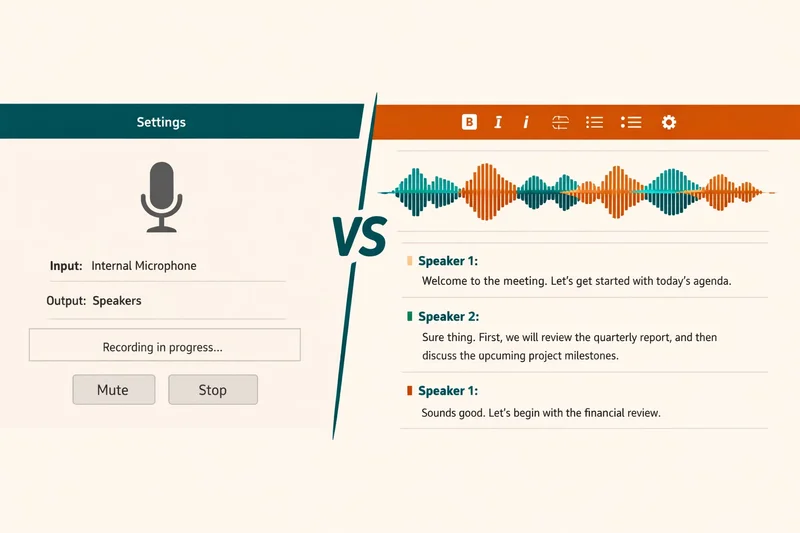
You've probably seen the terms "voice typing" and "voice dictation" used interchangeably. Both involve speaking and seeing your words appear on screen. But they're not the same thing — and the difference matters if you're using speech-to-text for professional work.
Voice typing refers to the built-in speech recognition features that come with your operating system: Apple Dictation on macOS, Google Voice Typing on Android, or Windows Speech Recognition. They're convenient, free, and already on your device. Voice dictation, on the other hand, refers to dedicated software designed specifically for converting speech to text, often with AI voice dictation capabilities that go far beyond basic transcription.
This article breaks down the real differences: accuracy, features, custom vocabularies, formatting control, and when each approach makes sense. By the end, you'll know which tool fits your workflow and whether upgrading to dedicated dictation software is worth it.
Key Takeaways
- Voice typing is free and built into your OS — good for casual use but limited in features, accuracy, and customization.
- Voice dictation is dedicated software with AI refinement, custom vocabularies, formatting modes, and professional-grade accuracy.
- Native voice typing lacks custom dictionaries — critical for professionals who use technical terminology, jargon, or proper nouns frequently.
- Dedicated dictation software offers rewrite modes, export formats, and intelligent formatting that voice typing doesn't provide.
- Use voice typing for quick emails and messages; use voice dictation for long-form writing, technical documentation, and professional content.
What Is Voice Typing?
Voice typing is the speech recognition feature built into your operating system. You press a keyboard shortcut, speak, and your words appear in whatever text field you're using.
The most common examples are:
- Apple Dictation on macOS and iOS (activated with Fn+Fn or a microphone icon)
- Google Voice Typing on Android and Chromebooks (activated via the keyboard)
- Windows Speech Recognition on Windows 10/11 (activated via the taskbar or keyboard shortcut)
These systems work at the OS level, so they integrate with any app that accepts text input: email clients, browsers, note-taking apps, messaging platforms. They're universal, convenient, and free.
But universality comes with trade-offs. Because voice typing systems are designed for casual use across millions of apps, they prioritize broad compatibility over advanced features. They don't know whether you're writing a legal brief or a text message — so they optimize for neither.
What Is Voice Dictation?
Voice dictation refers to dedicated software built specifically for converting speech to text. These apps aren't embedded in your OS — they're standalone tools (or integrated apps) designed for serious writing work.
Modern voice dictation tools include:
- AI-powered transcription engines that go beyond basic speech recognition to refine output
- Custom vocabularies that learn your industry-specific terminology
- Formatting modes for emails, reports, code comments, and more
- Export options to different formats (plain text, Markdown, RTF, etc.)
- Rewrite modes that can adjust tone, length, or style using AI
Unlike voice typing, dictation software is purpose-built. It's designed for professionals who dictate thousands of words per day and need accuracy, control, and customization. That specialization means better results for sustained use — but it also means paying for software.
Accuracy: Where Voice Typing Falls Short
The most significant difference between voice typing and voice dictation is accuracy — especially when technical vocabulary is involved.
Native voice typing systems achieve roughly 85–92% accuracy in ideal conditions. That's good enough for casual messages and short notes. But when you start dictating technical terms, proper nouns, or domain-specific jargon, accuracy plummets to 60–75%.
Why? Because voice typing systems are trained on general conversational language. They've never heard of "Kubernetes," "PostgreSQL," "voir dire," or "anterolateral ligament." When you speak those terms, the system guesses phonetically — and usually gets it wrong.
Dedicated dictation software solves this with custom dictionaries. You teach the system 50–100 terms specific to your work, and accuracy on those terms jumps to 95%+ because the system now knows what to prioritize when it hears similar sounds. For more on how accuracy varies across tools, see our guide to AI dictation accuracy in 2026.
In short: voice typing works well for everyday language. Voice dictation works for specialized fields.
Feature Comparison: What You Gain with Dedicated Dictation
Beyond accuracy, dedicated dictation software offers features that voice typing simply doesn't provide. Here's a side-by-side comparison:
| Feature | Voice Typing (Native OS) | Voice Dictation (Dedicated App) |
|---|---|---|
| Cost | Free | Paid (typically $10–$30/mo) |
| Accuracy (general language) | 85–92% | 95–98% |
| Accuracy (technical terms) | 60–75% | 95%+ (with custom dictionary) |
| Custom vocabularies | No | Yes |
| Formatting modes | Basic | Advanced (email, report, code, etc.) |
| AI refinement | No | Yes (punctuation, capitalization, tone) |
| Rewrite modes | No | Yes (expand, condense, formalize, etc.) |
| Export formats | Plain text only | Multiple (Markdown, RTF, PDF, etc.) |
| History/search | No | Yes |
| Offline support | Limited (macOS Enhanced Dictation) | Depends on tool |
The feature gap is significant. If you're writing occasional emails, voice typing is sufficient. But if you're drafting reports, documentation, or articles multiple times a week, dedicated dictation software saves hours through better accuracy and smarter formatting.
Custom Vocabularies: The Professional's Essential
Custom vocabularies are the single most important feature that distinguishes professional dictation from casual voice typing.
Here's the problem voice typing can't solve: specialized fields use vocabulary that general AI models don't know. Legal terms, medical jargon, software libraries, industry acronyms, client names — these words appear rarely in the training data, so the system guesses phonetically.
Result: "React hooks" becomes "react hooks," "Django ORM" becomes "jangle or M," and "deposition transcript" becomes "deposition trans script." Accuracy on technical vocabulary drops to 60–75%, which makes dictation frustrating and slow.
Dedicated dictation software solves this with custom dictionaries. You import a CSV file with 50–100 domain-specific terms, and the system prioritizes those spellings when it hears phonetically similar sounds. Accuracy on technical terms jumps from 70% to 95%+.
For professionals, this is non-negotiable. A lawyer needs "voir dire," "habeas corpus," and "affidavit" spelled correctly. A developer needs "TypeScript," "Kubernetes," and "GraphQL." A doctor needs "palpitations," "contraindications," and "anterolateral." Voice typing can't learn these terms. Voice dictation can.
If your work involves specialized vocabulary, the custom dictionary feature alone justifies the cost of dedicated dictation software.
Platform-Specific Considerations
The gap between voice typing and voice dictation varies by platform. macOS, Windows, and mobile devices offer different native capabilities.
macOS: Apple Dictation vs Dedicated Dictation Apps
macOS includes Apple Dictation, which works in any app but lacks custom vocabularies, advanced formatting, or AI refinement. It's fine for short notes but struggles with technical vocabulary and long-form content.
Dedicated dictation apps for Mac offer significantly better accuracy, custom vocabularies, and integration with professional workflows. If you're serious about dictation on macOS, a dedicated tool is worth considering. For a detailed breakdown, see our guide to the best dictation software for Mac.
Windows: Windows Speech Recognition vs Dedicated Tools
Windows Speech Recognition has improved significantly, but it still lags behind macOS in accuracy and usability. The interface is clunky, setup is complicated, and accuracy is lower than Apple Dictation.
Dedicated Windows dictation tools (like Dragon NaturallySpeaking or modern AI alternatives) deliver far better results. If you're on Windows and dictate regularly, dedicated software is almost mandatory.
Mobile: iOS and Android Voice Typing
Mobile voice typing (Gboard on Android, iOS keyboard dictation) is surprisingly good for short messages. But mobile devices lack the processing power for advanced AI refinement or custom vocabulary management.
For mobile, voice typing is usually sufficient. Save dedicated dictation for desktop work where you need precision and features.
When Voice Typing Is Good Enough
Voice typing isn't bad — it's just limited. There are plenty of situations where native OS voice typing is perfectly adequate:
- Quick emails: Short messages with everyday vocabulary don't need custom dictionaries or AI refinement.
- Text messages: Casual conversations tolerate minor errors. Autocorrect often fixes what voice typing misses.
- Notes and reminders: If you're jotting down ideas or to-do items, accuracy doesn't need to be perfect.
- Search queries: Voice typing is ideal for hands-free Googling or navigating apps.
- Occasional use: If you dictate once a week or less, the cost of dedicated software may not be justified.
In these scenarios, voice typing is free, convenient, and good enough. You don't need to pay for dedicated software if you're not using it regularly or professionally.
When You Need Dedicated Voice Dictation
Dedicated voice dictation software becomes essential when accuracy, features, and customization matter. Consider upgrading if you:
- Dictate regularly: If you dictate 500+ words per day, better accuracy saves significant time.
- Use technical vocabulary: Custom dictionaries are essential for lawyers, doctors, engineers, and researchers.
- Write long-form content: Articles, reports, documentation, and books require formatting precision and AI refinement.
- Need rewrite modes: If you want AI to expand, condense, or formalize your dictation, voice typing won't help.
- Value history and search: Dedicated tools let you revisit past dictations, search transcripts, and export to multiple formats.
- Care about formatting: Professional documents need correct punctuation, capitalization, and paragraph breaks — not just correct words.
If any of these apply, dedicated dictation software will pay for itself quickly through time saved and better output quality.
The Hybrid Approach: Using Both
You don't have to choose one or the other. Many professionals use voice typing for quick tasks and dedicated dictation for serious writing.
For example:
- Use voice typing for quick Slack messages, search queries, and reminders.
- Use dedicated dictation for reports, articles, documentation, and client-facing content.
This hybrid approach maximizes convenience without sacrificing quality. You're not paying for software you don't need, and you're not wasting time correcting transcription errors on professional work.
The Verdict: Which One Do You Need?
Here's the simple decision framework:
Stick with voice typing if:
- You dictate casually and infrequently
- You're writing short messages and notes
- You don't use technical vocabulary
- You're not willing to pay for software
Upgrade to voice dictation if:
- You dictate 500+ words per day
- You work in a specialized field (law, medicine, engineering, etc.)
- You write long-form content professionally
- You need custom vocabularies and advanced formatting
The bottom line: voice typing is a convenience feature. Voice dictation is a professional productivity tool. If you're using speech-to-text casually, the free option is fine. If you're using it professionally, the paid option will save you time and improve your output.
For a deeper understanding of how modern AI dictation systems work and what features to prioritize, read our complete guide to AI voice dictation.