Infinity Dictate Team
· 9 min read
If you have ADHD, you've probably experienced this: a thought arrives fully formed, vivid and urgent — and by the time your fingers find the keys, it's gone. Or you're mid-sentence, typing carefully, and a new idea barges in and erases the first one. Typing isn't just slow for ADHD brains. It's actively hostile to how they work.
Voice dictation changes this equation. When you speak, output keeps pace with thought. There's no mechanical bottleneck forcing you to queue ideas in working memory while your hands catch up. For many adults with ADHD, dictation isn't just a productivity tool — it's the first writing workflow that actually matches how their brain operates.
Key Takeaways
- ADHD brains generate ideas faster than typing speed allows — dictation removes that bottleneck.
- Typing requires sustained attention and motor control; dictation reduces both cognitive loads simultaneously.
- Voice input works with hyperfocus, not against it — ideas flow uninterrupted.
- AI auto-polish converts raw spoken output into clean, professional text automatically.
- Short daily sessions (10–15 min) build the dictation habit faster than sporadic long attempts.
Why Typing Is Harder for ADHD Brains
Typing looks simple from the outside. In practice, it requires coordinating at least four simultaneous cognitive tasks: holding your current idea in working memory, translating it into words, managing the fine motor sequences of keystrokes, and monitoring the screen for errors while simultaneously generating the next thought.
For most people, this multitasking is automatic enough that it fades into the background. For ADHD brains — where working memory capacity is reduced and divided attention is costly — it doesn't fade. Every element competes for the same limited bandwidth.
The result is familiar to most ADHD adults: you start a sentence, a new idea arrives before you finish it, and the original thought evaporates. Or you pause to fix a typo, and the rest of the sentence is gone. Or you spend so much mental energy managing the act of typing that the ideas themselves become thin and stunted.
Dictation doesn't eliminate these challenges entirely, but it removes the motor layer and dramatically reduces working memory load. You don't have to remember the idea while also finding the right keys. You just say it.
The Core Problem: Thought Outpaces Output
ADHD thinking is often fast, associative, and nonlinear. Ideas don't arrive in orderly queues — they arrive in clusters, interrupting each other, branching mid-stream, connecting to unrelated things. This is frequently a cognitive strength. It's also a liability when the output channel is a keyboard.
According to data on words per minute, the average typist produces 40–60 words per minute while the average speaker produces 120–150 words per minute — roughly two to three times faster. That gap is significant for anyone, but for ADHD brains generating ideas at high speed, it's a compounding problem. Thoughts accumulate in the queue faster than they can be cleared. The backlog creates frustration. Frustration breaks focus. And by the time you return to the original idea, it's often too late to reconstruct it fully.
Closing that gap isn't a minor convenience. For the way ADHD thinking actually works, matching output speed to thought speed changes the entire writing experience. For a direct comparison of the numbers, see our breakdown of speaking vs typing speed.
How Dictation Works With the ADHD Brain
Dictation externalizes thinking in a way that matches how ADHD minds naturally operate: out loud, associatively, in bursts. When an ADHD brain speaks, it's doing what it was already doing internally — generating, connecting, jumping ahead. Dictation simply routes that process into text rather than letting it cycle uselessly.
There's also a processing pathway advantage. The act of speaking activates auditory-motor loops that typing doesn't engage. For many ADHD users, speaking an idea aloud makes it easier to hold onto and develop than trying to transcribe it silently through fingers. The physical act of speaking creates its own mild anchoring effect, making it slightly easier to stay on topic.
The adjustment period is real — if you've never dictated before, see our article on why dictation feels awkward at first for what to expect. But most ADHD users find the adjustment shorter than expected, because the workflow rewards the way their brain already works rather than fighting it.
Crucially, dictation eliminates the need to remember the idea while also typing it. The idea and its capture happen simultaneously. That's not just faster — it removes an entire class of ADHD failure mode.
Hyperfocus: Dictation's Secret Advantage for ADHD
Hyperfocus is one of the most powerful cognitive states an ADHD brain can enter: deep, sustained, almost effortless engagement with a single task. When it happens during writing, it's genuinely productive. The problem is that hyperfocus is fragile. Interruptions are disproportionately costly because re-entry is slow and uncertain.
Typing creates its own interruptions. A transcription error forces a correction. A formatting decision breaks the thread. Backspacing mid-sentence shifts attention to the mechanics of writing rather than the content. Each of these micro-interruptions carries the risk of pulling an ADHD brain out of hyperfocus entirely.
With dictation, the physical act of output becomes nearly invisible. You speak, text appears. There's no key to find, no error to backspace, no cursor to manage. The frictionlessness isn't just comfortable — it protects hyperfocus. When the mechanics disappear, the cognitive state can sustain itself longer and produce more before it breaks.
For ADHD users who've experienced hyperfocus during writing, dictation can meaningfully extend how long those sessions last and how much they produce.
AI Auto-Polish: The Missing Piece
The most common objection from ADHD users considering dictation is this: "My spoken thoughts are a mess." And they're right — raw dictation output often includes filler words, restarts, incomplete sentences, and tangents. For someone already managing the cognitive overhead of ADHD, the prospect of cleaning that up manually is a deterrent.
This is where AI auto-polish changes the calculation. Infinity Dictate's Pro plan uses AI to convert rough spoken output into clean, professional text automatically — removing fillers, completing sentence structures, and applying appropriate formatting without requiring a manual editing pass. The user captures the idea; the AI handles the polish.
This matters specifically for ADHD because it removes the editing tax. The "capture everything, edit later" approach only works if editing is fast and low-effort. AI auto-polish makes it both. What took twenty minutes of careful manual cleanup now takes seconds. For ADHD users, that difference determines whether the workflow is sustainable or not. For more on how to make the most of this, see our guide on how to write faster with AI dictation.
Practical Setup: ADHD-Friendly Dictation Habits
The mechanics of dictation matter, but habit structure matters more for ADHD. Here's what works.
Start short. A 10-minute timed session on one specific topic beats an open-ended hour of trying to dictate. Short sessions create urgency, which ADHD brains respond to. Set a visible timer. When it goes off, you're done for that session.
Use private spaces. The anxiety of being overheard is a real attention drain. Dictate behind a closed door or in a space where you're alone. This removes one external demand on your attention and makes it easier to stay in your own headspace.
Start with low-stakes content. Journaling, brainstorming, and meeting notes are ideal starting points. They have no performance stakes, so you can focus on building the dictation habit itself rather than producing polished output. Once dictation feels natural, move it into higher-stakes tasks like emails and reports.
One shortcut to activate. Complexity kills ADHD workflows. If your dictation tool requires navigating menus or switching apps, you'll avoid using it. Infinity Dictate activates system-wide with a single keyboard shortcut, which is exactly the level of simplicity that makes a tool get used consistently rather than abandoned.
When keyboard strain is also a concern, see voice dictation for carpal tunnel and RSI for additional setup guidance. And once you've built the habit on simple tasks, how to dictate emails faster covers the transition to professional writing.
What to Do When Your Mind Wanders Mid-Dictation
ADHD users will drift. It's not a failure — it's a feature of the condition, and the right response is a workflow that accounts for it rather than one that punishes it.
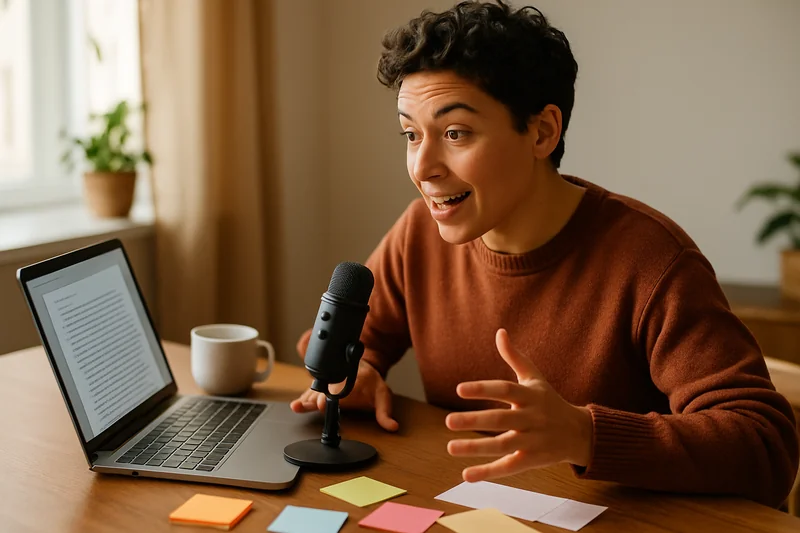
Keep a visible topic prompt. Write your subject on a sticky note or open a text doc with the topic clearly stated before you begin. When your attention drifts, a visible anchor gives you something to return to without having to reconstruct where you were.
Set a speaking rhythm. If you pause for more than three seconds, say something — even a filler phrase like "continuing from where I was" or the topic keyword again. Breaking silence anchors your attention and prevents the pause from expanding into a full derailment.
Embrace the capture-everything mindset. The biggest ADHD dictation mistake is stopping to evaluate quality mid-session. Evaluation requires a different cognitive mode than generation, and switching between them is expensive. Capture everything first, including tangents. AI auto-polish cleans up the rough output, so quantity is always better than filtering in the moment.
For the broader workflow principle behind this, see our guide on reducing writing friction.
Conclusion
ADHD and dictation are a natural match. The core insight is simple: ADHD brains generate ideas at a speed that typing can't match. That mismatch is the source of lost ideas, broken focus, and writing frustration. Dictation closes the gap by matching output speed to thought speed.
Combined with AI auto-polish, even scattered spoken thoughts produce clean, useful text. The adjustment period is real — about a week of short daily sessions — but the payoff arrives quickly. Fewer lost ideas, less frustration, more output. For a brain that's spent years fighting against the bottleneck of a keyboard, dictation can feel like the first writing tool that was actually designed for the way it works.