Infinity Dictate Team
· 8 min read
Teaching is one of the most writing-intensive professions outside of fields that explicitly describe themselves that way. Teachers produce lesson plans, learning objectives, student feedback, parent emails, IEP documentation, meeting notes, curriculum maps, assessment rubrics, and administrative reports — often without any of it being counted in official workload measurements. The assumption is that this writing happens invisibly, in the margins of the day or after hours.
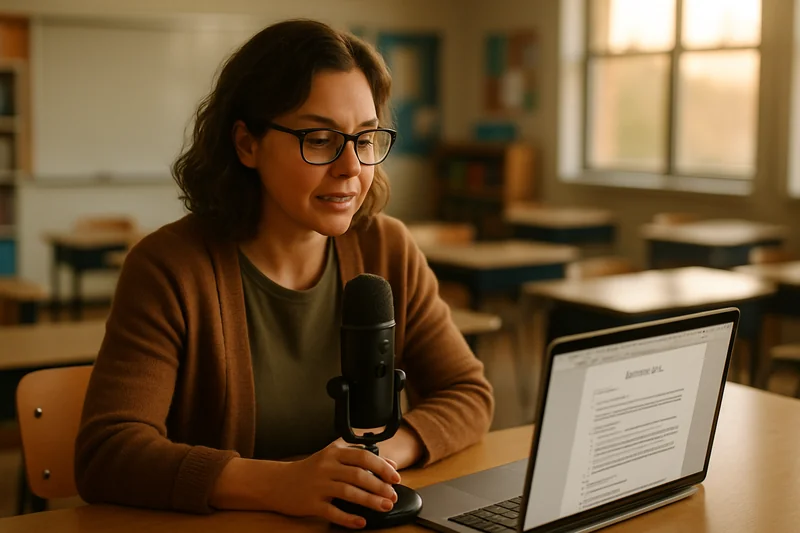
Voice dictation doesn't solve the underlying workload problem, but it cuts the time that writing consumes. A teacher who would spend forty minutes typing a week of lesson plans can dictate the same content in twelve minutes. That recovered time either returns to students — in more thoughtful planning, more detailed feedback — or to the teacher, in the form of evenings that don't belong to their school.
Key Takeaways
- Lesson plans dictated immediately after class capture fresher, more relevant instructional decisions.
- Student feedback dictated immediately after marking produces more specific, useful comments than writing from memory.
- IEP narrative sections and parent communication are among the highest-ROI dictation use cases for teachers.
- AI dictation handles education terminology accurately — IEP, scaffolding, differentiation, formative assessment.
- Twenty minutes of post-school dictation can eliminate most evening planning and grading commentary sessions.
The Hidden Writing Load of Teaching
Teachers are well aware of their workload, but the writing component is often invisible to people outside the profession. Unlike a legal brief or a business proposal — which is clearly writing work — teacher writing is distributed across dozens of small documents that each seem minor. A lesson objective here, a feedback comment there, an email to a parent, a note for the IEP file. The individual tasks feel manageable; the cumulative weight is not.
Studies of teacher workload consistently find that administrative and documentation tasks consume a significant portion of the working week beyond contracted hours. Writing is a major component of that burden. What makes it particularly draining is that it tends to happen at the end of the day, when cognitive resources are lowest — after hours of instruction, student interaction, and classroom management that demand sustained attention and emotional energy.
What Teachers Actually Write Every Day
The writing categories vary by grade level, subject, and school type, but most teachers regularly produce the same core document types. Understanding which ones are best suited to dictation helps you apply it where it has the most impact.
Lesson plans are the highest-volume planning document. Even when templates exist, filling them with meaningful content — objectives, differentiation strategies, assessment criteria, materials — requires sustained writing. A well-detailed lesson plan for one class period takes twenty to forty minutes to type; dictating the same content through each section takes eight to twelve minutes.
Student feedback on assignments is simultaneously the most pedagogically important writing teachers do and the most time-consuming per student. Specific, actionable written feedback takes two to five minutes per student to type; dictating the same feedback takes thirty to ninety seconds. Across a class of thirty students, that difference is hours per marking period.
Parent communications range from routine check-ins to sensitive conversations about student progress. These emails are often written carefully and revised multiple times before sending. Dictation produces a first draft faster, which can then be reviewed and refined with less total time than composing from scratch.
Dictating Lesson Plans: Structure and Speed
Lesson plans follow predictable structures, which makes them ideal for dictation. Once you've internalized your school's template — or your own preferred format — you can dictate through each section in sequence without consulting the template. "Objective: Students will be able to [dictate learning objective]. Standards alignment: [dictate relevant standards]. Materials: [dictate list]. Introduction activity: [dictate hook and activation strategy]. Main activity: [dictate instructional sequence]. Assessment: [dictate formative assessment approach]. Closure: [dictate closing routine]."
Speaking through this structure takes eight to twelve minutes for a fully detailed lesson plan. AI auto-polish converts the spoken sections into clean, structured prose. You review, adjust any terminology, and paste into Google Docs or your school's platform. The plan is complete in a fraction of the time typing would require. For an overview of how this approach benefits people who write frequently, see our guide on writing faster with AI dictation.
Writing Student Feedback by Voice
Student feedback is where dictation makes one of its most tangible differences. Typing specific, individualized feedback for thirty students after marking a set of essays takes three to five hours. Dictating the same feedback — speaking 30 to 60 seconds per student while looking at their work — takes 30 to 60 minutes.
The key is to dictate immediately after reading each piece of work, before moving to the next student. "Student: [name]. Strengths: [dictate two to three specific strengths]. Areas to improve: [dictate one to two specific, actionable improvement points]. Next step: [dictate one concrete action the student can take]." AI auto-polish formats this into polished feedback language. The result is more specific and more useful than the generic comments teachers often resort to when time-pressed, and it takes dramatically less time to produce.
IEP Notes, Meeting Summaries, and Admin Work
IEP documentation is among the most time-consuming writing in teaching. The narrative sections of an IEP — present levels of performance across academic, communication, social-emotional, and functional domains — require detailed, precise writing that must be both legally accurate and pedagogically useful. Many teachers find this documentation takes hours per student per IEP cycle.
Dictating IEP narratives is practical because the content is already highly familiar to the teacher — they know the student's performance profile thoroughly. The challenge has always been translating that knowledge into written form quickly. Dictation removes that bottleneck. Speaking through each domain takes two to three minutes; typing the same content takes ten to fifteen. For teachers who support students with learning differences, see our related article on how dictation supports people with ADHD for perspective on how the tool benefits multiple stakeholders in education.
Setting Up Dictation on a Mac for Teacher Use
Infinity Dictate runs as a menu bar app on macOS, which means it's available in any application without switching windows. For teachers working in Google Docs, your school's LMS, email, or a word processor, dictation is one keyboard shortcut away. Press the shortcut, speak, and the text appears wherever your cursor is.
The setup takes under five minutes: download the app, grant microphone permission, set your preferred keyboard shortcut, and you're ready. The on-device WhisperKit model means transcription is private and works without an internet connection — useful for teachers who work in environments with unreliable connectivity. AI auto-polish, available on Pro, cleans up spoken content into polished prose automatically.
Getting Started Without Disrupting Your Workflow
The most effective way to introduce dictation is to apply it to one document type for one week before expanding. Parent emails are a good starting point: they're short, they follow a familiar structure, and the time savings are immediately apparent. Once the habit is established with emails, add lesson plans. Then student feedback. Build gradually rather than trying to change everything at once.
The adjustment period for most new dictation users is three to five sessions. The first session feels slightly unnatural. By the third, most people find it faster than expected. By the fifth, most people find it hard to imagine going back. For guidance on the adjustment period and common early challenges, see our guide on fixing dictation errors quickly — knowing how to handle the rare error speeds up the learning curve considerably.